
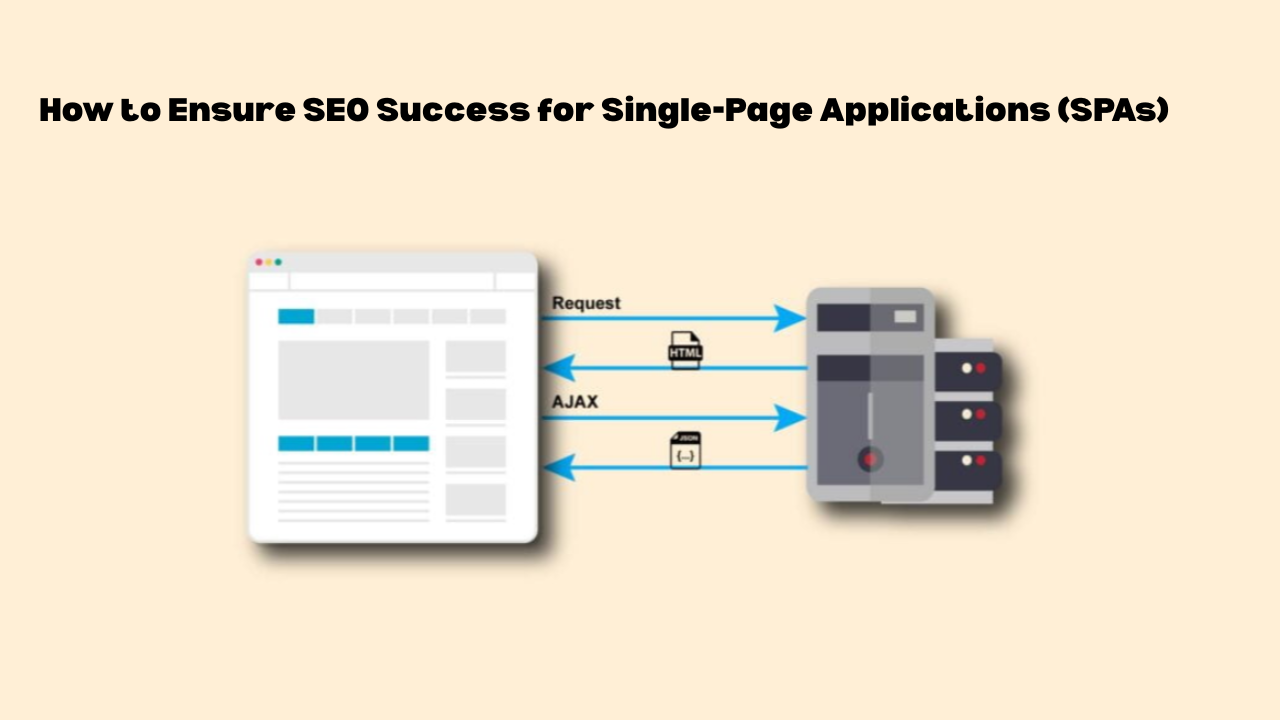
How to Improve SEO for Single Page Applications (SPAs)
Single page applications gradually became quite famous due to their excellent performance, modernity, and responsiveness from the users’ point of view. Users can enjoy uninterrupted and smooth transitions between different parts of the site without the inconvenience of full page refreshes. But when it comes to SEO, SPAs introduce challenges that traditional websites don’t face.
Most of the content in an SPA loads through JavaScript. Crawling and indexing such dynamic content can be a difficult task for search engines, particularly if rendering and routing are not done right. This is the case with most SPA web pages; they look good to users, but they are still absent from the search results.
If your project is done using React, Vue, Next.js, Nuxt, Angular, or other similar frameworks, performing SEO is a must. The article will introduce you to the major SEO issues SPAs face and the precise techniques to solve them: indexing, metadata, dynamic routing, internal linking, and performance.
Why Single Page Applications SEO Is Difficult?
Traditional websites provide the entire HTML content instantly, therefore, the search engines can immediately crawl the text, metadata, and links.
Single Page Applications keep a single HTML shell and require the JavaScript to portray the real content after the page has been loaded.
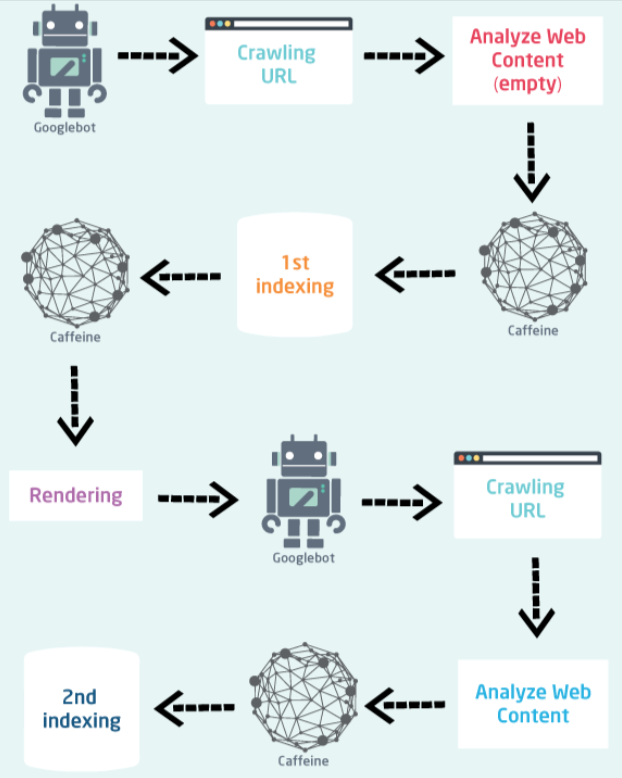
Because of this delay, search engines may not process key elements, especially when they rely on client-side rendering, including:
- Content requiring login, interaction, or hydration
- Titles and metadata generated with JavaScript
- Dynamic routes that don’t exist at server level
- Lazy loaded or delayed content
Now, below are the best practices to Improve SEO for Single Page Applications (SPAs) :
1. Use Server Side Rendering (SSR)
SSR (Server Side Rendering) ensures that the page is completely rendered on the server side before being sent to the user’s browser. This means that the search engine gets the full HTML content immediately and does not have to wait for the execution of JavaScript.
With SSR, titles, metadata, and on page text exist at load time, which improves crawlability and prevents blank or incomplete indexing. It also reduces JavaScript execution dependency, helping performance and Core Web Vitals.
Frameworks that support SSR:
| Framework | SSR Capability |
|---|---|
| React | Next.js |
| Vue | Nuxt |
| Angular | Angular Universal |
| Svelte | Svelte Kit |
2. Consider Static Site Generation (SSG) or Hybrid Rendering
SSG generates fully rendered HTML files at build time. Since content is pre-built, search engines receive complete pages without relying on JavaScript execution.
This approach offers fast performance, especially when paired with a CDN, because pages are served instantly and don’t require real-time rendering.
Good use cases include:
- Documentation
- Pricing pages
- Evergreen blog posts
If the content is frequently updated, hybrid rendering becomes the better option. One of the methods that can be employed is Next.js Incremental Static Regeneration (ISR), a combination of techniques that can be used to attain the best of three worlds: freshness, crawlability, and performance.
3. Use Prerendering When Migration Isn’t Possible
If your SPA (Single Page Application) is already operational and changing to SSR (Server Side Rendering) or SSG (Static Site Generation) isn’t a wise option, then prerendering is the last resort. It creates static HTML snapshots that search engines can access without waiting for JavaScript to run.
Prerendering tools commonly used for SPA SEO include:
- Prerender.io
- Rendertron
- Puppeteer based automation
This method works best for public pages that don’t change frequently, such as marketing landing pages, product detail URLs, and other indexable routes that need search visibility.
4. Ensure Metadata Updates Per Route
Each URL should have its own unique metadata, and SPAs need to update these values dynamically when routes change. Without this, different pages may appear identical to search engines.
Metadata that must update per route includes:
<title><meta name="description">- Open Graph and Twitter tags
To manage this correctly, use route-aware libraries such as:
- React Helmet
- next/head
- vue-meta
Once implemented, test the metadata to ensure it renders correctly. Tools like Facebook Debugger and Twitter Card Validator help verify that social previews pull accurate and updated information for each route.
5. Make Routes Crawlable
Search engines need clean, accessible URLs to properly index individual pages. Hash-based routing (/#/product) can cause indexing issues because many crawlers treat it as a single URL rather than separate routes.
A better format is:
/product/shoes
To improve indexability, routing should also include:
- Canonical tags for filtered or parameterized pages
- A clean and readable URL structure
- Unique, indexable routes for important content
6. Build a Dynamic XML Sitemap
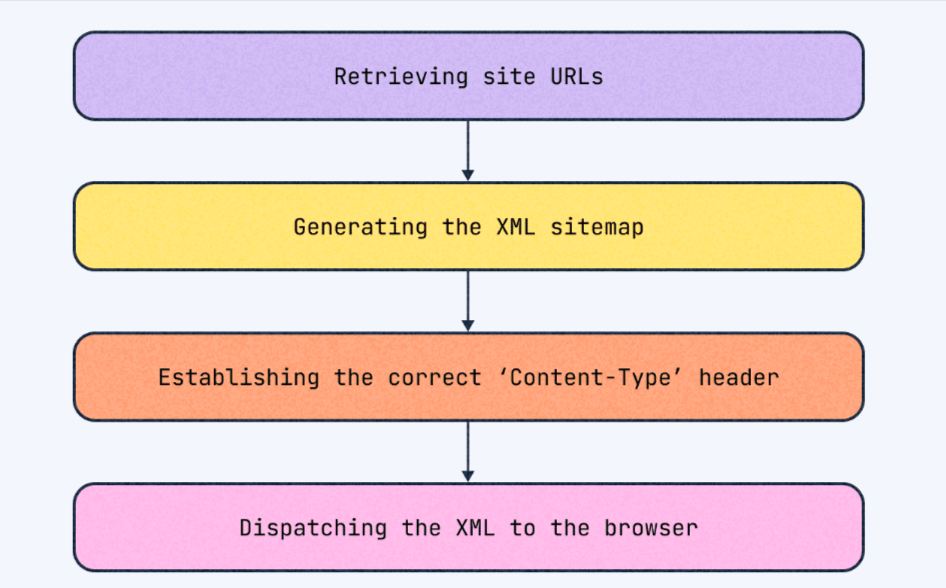
A dynamic sitemap guarantees all the indexable SPA (Single Page Application) routes are included and it is updated automatically whenever fresh pages or content are added. This enables search engines to find and crawl URLs that might not be linked in the originally submitted HTML.
After generating the sitemap, submit the following to search engines:
sitemap.xmlrobots.txt- Additional language or regional sitemaps if needed
Make sure the submitted URLs return proper status codes. Avoid broken links, 404 pages, and infinite scroll URLs that generate unnecessary parameter based routes.
7. Optimize Internal Linking
A number of Single Page Applications depend completely on the JavaScript based navigation, however, the search engines still require the conventional HTML elements for crawling and following links. In the absence of them, significant pages could remain hidden.
Best practices include:
- Use anchor tags instead of button based navigation
- Ensure categories, tags, and filters create crawlable paths
- Link between related pages (blog → product → category)
Strong internal linking helps distribute link authority across the site and improves the chances of dynamic routes being crawled and indexed.
8. Improve Core Web Vitals and Performance
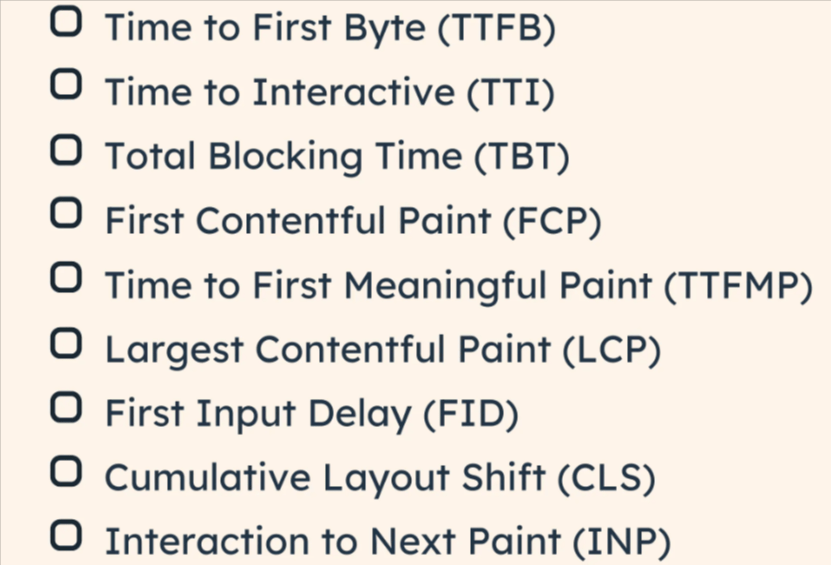
Single Page Applications usually load hefty JavaScript fragments which could slow down the rendering process and lead to a poor performance on such metrics as INP, LCP, and TTFB. When pages are extremely slow to become interactive, the user experience along with SEO performance takes a hit.
Search engines give preference to quick and responsive websites. Cutting down on the JavaScript execution time and augmenting the rendering efficiency are crucial for the ranking already done and the crawlability.
Key optimizations include:
- Code splitting and lazy loading non critical components : Break large bundles into smaller chunks so critical content loads first while secondary features load later.
- Prefetching assets for upcoming routes : Framework level prefetching allows SPAs to load resources in the background, making route transitions significantly faster.
- Caching via CDN and Service Workers : Store assets closer to users and reuse cached resources to reduce repeated network requests and improve overall responsiveness.
- Removing unused code, libraries, and render blocking scripts : Audit dependencies and eliminate JavaScript that isn’t needed. Excess scripts slow hydration and increase blocking time.
Performance monitoring tools:
- Web Vitals Browser Extension
- Lighthouse
- PageSpeed Insights
9. Implement Structured Data (Schema)
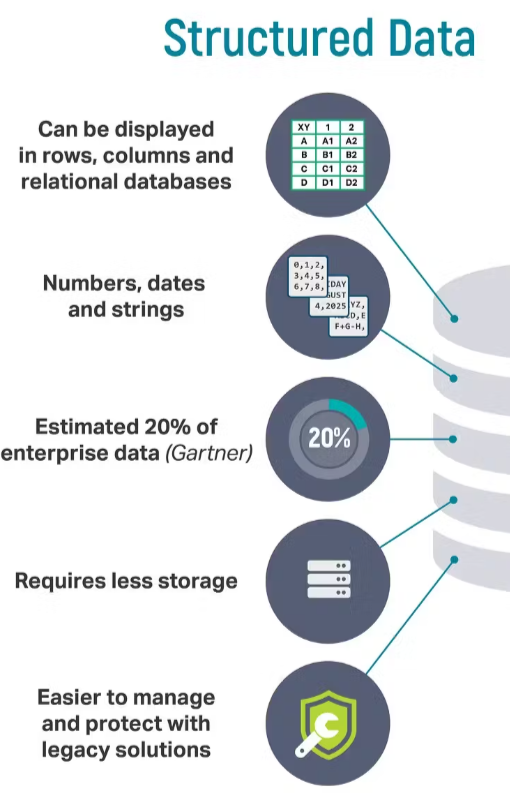
Structured data communicates to the search engine s that your content and context are clearer which in turn improves the ranking signals and the chances of being selected for rich outcomes like star ratings, FAQs or product details increase.
For Single Page Applications, the JSON-LD format is the favorite as it is less complicated to control and can be brought in dynamically without having to change the visible layout.
Use schema markup for:
- Product pages
- FAQ sections
- Articles
- Reviews
- Organization or business details
Make sure the structured data loads at the same time as the visible content or earlier. If it appears only after hydration or delayed rendering, search engines may miss it.
After implementation, validate using Google’s Rich Results Test to confirm the markup is detectable and formatted correctly.
10. Monitor Indexing Properly
Even after optimization, SPAs can face indexing delays or partial crawling. Monitoring ensures nothing gets stuck or missed during Google’s rendering process.
Use Google Search Console to track:
- Index coverage
- Rendering issues
- Dynamic route errors
- Mobile usability
- Page experience signals
Test high value URLs with the URL Inspection Tool to verify how Googlebot rendered the content—not just how users see it in the browser.
Log file analysis adds another layer of verification. It helps determine whether Googlebot is crawling deeper pages or repeatedly returning only to your homepage, which is a common SPA indexing issue.
Common Single Page Applications SEO Errors
Many indexing issues happen not because SPAs can’t rank, but because the setup unintentionally blocks crawlers or delays content visibility. Identifying and fixing these early prevents long term search performance loss.
Avoid:
- Relying only on client-side rendering : If key content loads only after JS execution, search engines may miss it—especially if rendering fails or times out.
- Missing canonical signals on parameterized URLs : Dynamic URLs with filters, sorting, or query strings can create duplicate variations. Without proper canonicals, authority gets split across versions.
- Using hash-based routing : URLs like
/products#shoesaren’t treated as separate indexable pages, making entire site sections invisible to search engines. - Slow hydration delaying content : If the main content appears only after hydration, Googlebot may crawl before elements fully load, resulting in thin or incomplete indexed pages.
- No sitemap or metadata updates : When routes change dynamically, missing sitemaps or outdated meta tags can prevent Google from discovering or understanding new pages.
Fixing these problems improves crawlability, stab
SPA SEO Implementation Roadmap
A practical rollout plan:
- Assess rendering model (SSR / SSG / Prerender)
- Fix routing structure and metadata updates
- Create crawlable links and sitemap
- Optimize performance and Core Web Vitals
- Add structured data and canonical tags
- Monitor indexing and iterate
This ensures crawlers receive complete, indexable content at every stage.
FAQs
What is SPA in SEO?
A Single Page Application (SPA) is a type of web application that only loads a single HTML page and then dynamically updates its content through JavaScript. The SEO of SPAs has to be dealt with carefully as the crawlers may not get the dynamic content or the metadata without any optimization.
Are SPAs SEO friendly?
Yes, if optimized. SPAs can rank high by using SSR, prerendering, crawlable links, dynamic metadata, correct routing.
Which is better, MPA or SPA?
Multi Page Applications (MPAs) have their SEO advantage by nature, whereas Single Page Applications (SPAs) have the benefit of a faster user experience. The proper rendering and indexing strategies are the determining factors for SPAs to gain the SEO victory.
Can SPAs rank without SSR?
Yes, after the application is prerendered, proper metadata is set up, crawlable links are created, and routing is clean. The indexing process may be slower as compared to SSR.
Does Google still struggle with JavaScript?
Google is capable of rendering JavaScript; however, the content that is delayed or lazy loaded might be partially missed. SSR or prerendering guarantees complete indexing.
Is migrating to Next.js or Nuxt worth it?
Yes. SSR/SSG frameworks make it easier to optimize, manage metadata, and route while still keeping SPAs fast and indexable.
Conclusion
Although SPAs provide modern, fast, and smooth user experiences, they still remain at the risk of being hidden by search engines if SEO is not done properly. Optimizing SPAs involves rendering, dynamic routes, metadata, internal linking, and performance all handled with care.
Server side rendering, static site generation, and prerendering are the methods to render content in a crawler-friendly way and to do the indexing properly. The right use of metadata, canonical tags, and structured data assists the search engines in understanding each page perfectly, whereas performance optimization benefits both user experience and Core Web Vitals.
SPAs will be able to win high rankings, quick indexing, and comprehensive search visibility by adopting these techniques, thus uniting the advantages of modern web applications with the effective SEO practices.
How to Improve SEO for Single Page Applications (SPAs)