
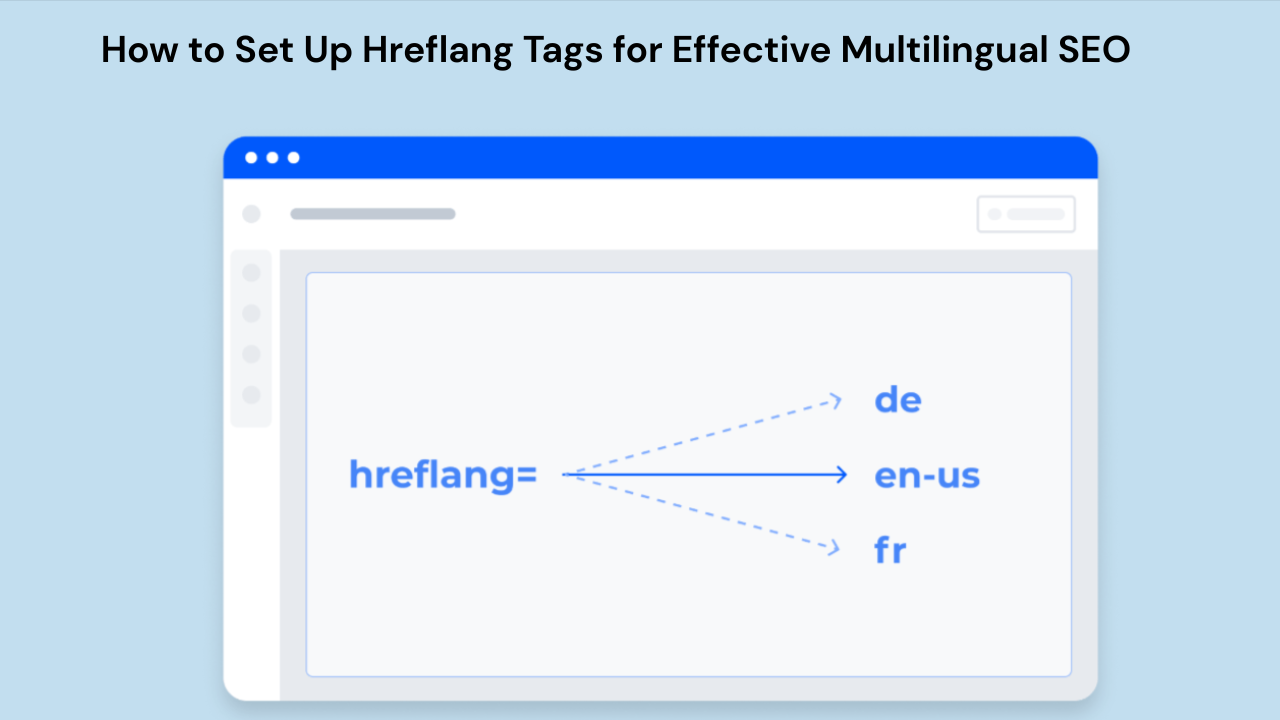
How to Set Up Hreflang Tags for Effective SEO
When search engines are not sure which language or regional tone version they should present in the search results, it often happens that the users arrive at the version intended for another country or language, thus very high bounce rates and poor engagement occur. Hreflang tags are the remedy for this issue: They make it clear to search engines which version of a page is for which audience.
This guide will deal precisely with what goes in an hreflang tag, when you must use them, and how to implement them correctly, besides obviating any confusion.
What Is a Hreflang Tag?
An hreflang tag is an HTML attribute that informs search engines which language and regional version of a homepage should be displayed to users depending on their location and language settings. It solves the problem of making sure that users are seeing the content that is specifically meant for them, like currency, spelling variations, or even fully translated text.
For example:
- A U. S. user searches for a product and gets English-US.
- A user from Spain will see the Spanish-ES interface and language.
- A user from Canada might see the French-CA variant instead of the French-FR one.
If no hreflang tag is implemented, Google may treat these variants as duplicates and provide irrelevant versions to different continents.
Structure of the Hreflang Tag
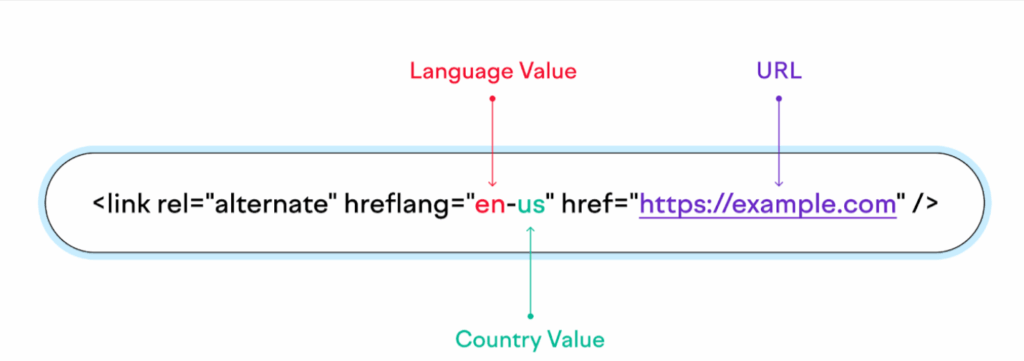
The syntax has a fixed order for any hreflang tag. Here is a typical inline HTML implementation:
<link rel="alternate" hreflang="en-US" href="https://example.com/us/" />Each element has meaning:
| Component | Purpose |
|---|---|
rel="alternate" | Signals an alternate version exists |
hreflang="en-US" | Specifies language (ISO-639-1) and region (ISO-3166-1) |
href="URL" | Points to the specific localized version |
Valid Format Examples
| Use Case | Correct Example |
|---|---|
| Language only | hreflang="en" |
| Language + region | hreflang="pt-BR" |
| Default fallback | hreflang="x-default" |
Common mistakes comprise of region codes in lowercase (en-gb instead of en-GB) or unsupported versions.
When Do You Need The Hreflang Attribute?
Hreflang is necessary when an article, product or URL is required to be recognized under different languages translated versions or similar geographical differentiation for a search engine. Hreflang is only the case when:
- The information is translated on the website as English, French, German, etc.
- When that website provides different regional subtitles like American English and British English.
- Pricing, currency, spelling, legal terms, or availability varies by market.
- Country selectors or language switches if they have one.
It would not be required for a website to apply the hreflang tag if it uses only one language and belongs to only one country or if it blocks translations from being listed.
An easy rule for conclusion would be like this:
If multiple live, indexable versions of the same content exist for different audiences, hreflang is required.
Benefits of Hreflang Tags
Nothing will save you with respect to rankings should you opt to use it, but it is important simply to put the right version in front of the right multilingual audience.
- This will lower bounce rates as a result of abridged rendering of sometimes contrary different languages.
- Localized titles that make it easier for end-users to click something they do not have a good grasp of.
- The URLs for every localized content are socialized which is different from the URLs for the full site.
- By targeting properly, the implementation of the hreflang tag is a huge facility for international SEO.
Hreflang within global and multilingual sites is not recommended but obligatory.
What Is the Purpose of Hreflang?
Hreflang in a correct way helps search engines understand the relationship between translations and/or localizations of the same page. It allows:
- To guide users to correct localized versions from search results manipulation
- Keep search engines clean of confusion between the language or country.
- Ensuring clean indexing across multi-regions for websites.
For instance, without hreflang, an actual person in Spain searches and gets English US due to incorrect meta tags. With hreflang, however, visitors from Spain or people in Spain receive the Spanish ES version.
How to Implement Hreflang Tags
Hreflang implementation succeeds on a basis of systematic planning, accuracy, and consistency. Any error, even a small one, will have Google moving forward by ignoring such tags. Following is a tentative list of standard steps that can be taken for the implementation of this on any multilingual or multi-regional website.
Step 1: Make a URL Mapping Matrix
Before pasting in any tag, you will need an exhaustive listing of every localized version of an indexable page. This way, all mention of missing reference, broken reciprocal linking, and URLs not targeting each other will be averted.
A mapping matrix should include:
- Assigned hreflang code
- Original URL
- All available translated or region-specific variants
- Whether the page is indexable
A basic example looks like this:
| Page | en-US | en-GB | es-ES |
|---|---|---|---|
| Homepage | /us/ | /uk/ | /es/ |
| Pricing | /us/pricing/ | /uk/pricing/ | /es/precios/ |
| Contact | /us/contact/ | /uk/contact/ | /es/contactar/ |
Best practices for mapping:
- Only include live URLs returning status 200.
- Exclude pages marked noindex.
- Ensure URLs use the correct protocol (
https://) and correct final destination (no redirects).
If you are updating an existing site, crawl it using Screaming Frog or Sitebulb to extract existing URL variations and detect inconsistencies.
Step 2: Pick the Methods of Implementation
There are three methods of implementation and Google will accept any one of them—however, the focus should be on consistency better choose one that is the most appropriate for the size and content type of your site.
Method 1: HTML <link> Tags
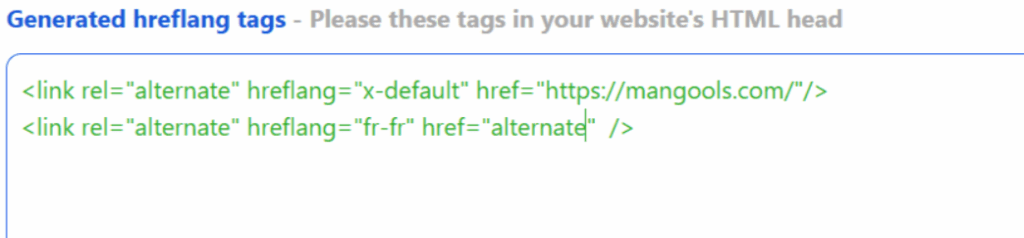
Best for:
- Small websites
- WordPress or static sites
- Situations where localized versions are manually controlled
Tags go inside the <head> section of each page.
For Example:
<link rel="alternate" hreflang="en-US" href="https://example.com/us/" />
<link rel="alternate" hreflang="en-GB" href="https://example.com/uk/" />
<link rel="alternate" hreflang="es-ES" href="https://example.com/es/" />
<link rel="alternate" hreflang="x-default" href="https://example.com/" />
Method 2: XML Sitemap Hreflang Entries

Ideal for sizable multilingual sites, e commerce outlets, and CMS sites.
Here’s an example code snippet as a hint:
<url>
  <loc>https://example.com/us/</loc>
  <xhtml:link rel="alternate" hreflang="en-US" href="https://example.com/us/" />
  <xhtml:link rel="alternate" hreflang="en-GB" href="https://example.com/uk/" />
  <xhtml:link rel="alternate" hreflang="es-ES" href="https://example.com/es/" />
</url>
Method 3: HTTP Header (Non-HTML Files)
Only if for some reason a webpage can’t be processed largely because the content needs to follow an entirely different format, such as when it comes to the content format of PDFs, Microsoft Office documents, or dynamic file downloads.
An example of this type will thus look like the following:
Link: <https://example.com/es/archivo.pdf>; rel=”alternate”; hreflang=”es-ES”
Step 3: Add Self Referencing Hreflang Tags
The same tag must make a reference to each localized version, of course:
- Every other version
- Itself
To complete the implementation, if any page of a language points to versions but the versions do not point back to it, Google will diminish some value.
Example /es/ page:
<link rel="alternate" hreflang="es-ES" href="https://example.com/es/" />
<link rel="alternate" hreflang="en-US" href="https://example.com/us/" />
<link rel="alternate" hreflang="en-GB" href="https://example.com/uk/" />
<link rel="alternate" hreflang="x-default" href="https://example.com/" />
Step 4: Maintain Canonical Alignment
While canonicals guide the robots against too many indexings of web pages, hreflang targets toward giving signals to serve specified areas. But they have to align with one another.
Rules:
- The canonical URL should be the same URL as the translation-page hreflang tag.
- The URL should not be canonicalized to a different language variant, thus leaving each one language or region pretty much self-canonical.
CORRECT EXAMPLE:
<link rel="canonical" href="https://example.com/us/" />
<link rel="alternate" hreflang="en-US" href="https://example.com/us/" />
WRONG EXAMPLE:
<link rel="canonical" href="https://example.com/uk/" />  <!-- Wrong -->
<link rel="alternate" hreflang="en-US" href="https://example.com/us/" />
This mistake tells Google the UK version is a duplicate of the US version, which could remove it from indexing.
Step 5: Verify URL Responses Return HTTP 200
Search engines do not care about hreflang entries that reference:
- Redirects (301 or 302)
- Errors (404 or 410)
- Blocked content (disallowed by robots.txt)
- Pages with a noindex meta tag
Test this by:
- Crawl with Screaming Frog using the hreflang mode.
- Check Search Console International Targeting report if available.
- Validate that all referenced URLs resovle correctly.
Even if a single URL in a hreflang cluster fails to validate, it hurts the indexing of the entire group.
Common Errors and Their Fixes
| Error | Result | Fix |
|---|---|---|
| Incorrect codes (e.g., en-gb) | Google ignores mapping | Use proper ISO format (en-GB) |
| Missing reciprocal links | Search engines discard entries | Ensure all locales reference each other |
| Referencing redirected URLs | Hreflang not applied | Point to the canonical final URL |
| Using hreflang on non-indexable pages | Tag ignored | Ensure indexability or remove tag |
| Mixing sitemap and HTML inconsistently | Conflicting signals | Use one method or synchronize both |
Conclusion
Moreover, Hreflang tags demonstrate the proper page reference for the proper audience, improving the relevancy, and engaging and impacting international SEO. Algorithmic perfection in ensuring that this content is served accurately risks harming your rankings or destroying traffic, depending on how libraries or regional sites are applied.
When converting hreflang tags into your site, it’s not a choice to get it correct; it’s a must.
FAQs
what are hreflang tags in SEO?
Hreflang tags are used to indicate to the search engines the language and regional version of a page to be shown to the users. This will not only prevent duplicate content issues but will also guarantee the right localized page is displayed in the search results.
Are hreflang tags necessary?
Hreflang is mandatory in case you have different languages or regional versions of the same content. On the other hand, if your site is in a single language that caters to only one region, then it is not necessary.
Are hreflang tags good for SEO?
Definitely, Hreflang enhances international SEO by signaling the proper language or regional version for the user, thus reducing the bounce rate and contributing to the overall good user experience.
Do HTML Lang impact SEO?
Lang attribute does not impact rankings directly, but it makes the page language recognizable by browsers and accessibility tools. It is really to work hand in hand with hreflang, but it doesn’t really replace hreflang.
Where to put hreflang tags?
You can use the hreflang to be inserted in the section on your web pages in HTML tags, or in the XML sitemap, or set in the HTTP header for non HTML content.
How to check the hreflang tags?
You can use various tools like Google Search Console, Screaming Frog, Sitebulb, and online hreflang validation tools to spot errors, missing interlinking, or incorrect language codes.